

Appearance
How Interactive Video (IDVx) Works
Interactive Video (IDVx) delivers a new industry standard in video engagement across all devices and platforms. The product goes beyond hovers and inadvertent clicks, to deliver real interaction, by real humans, in premium environments. Built on the same core interactive foundation as TrueX, Interactive Video removes the opt-in, interaction, and time spent requirements, in order to capitalize on the scale of a Publisher's inventory. Infillion pays Publishers a set CPM for the IDVx ads the Publisher renders in their ad pods.
Key features:
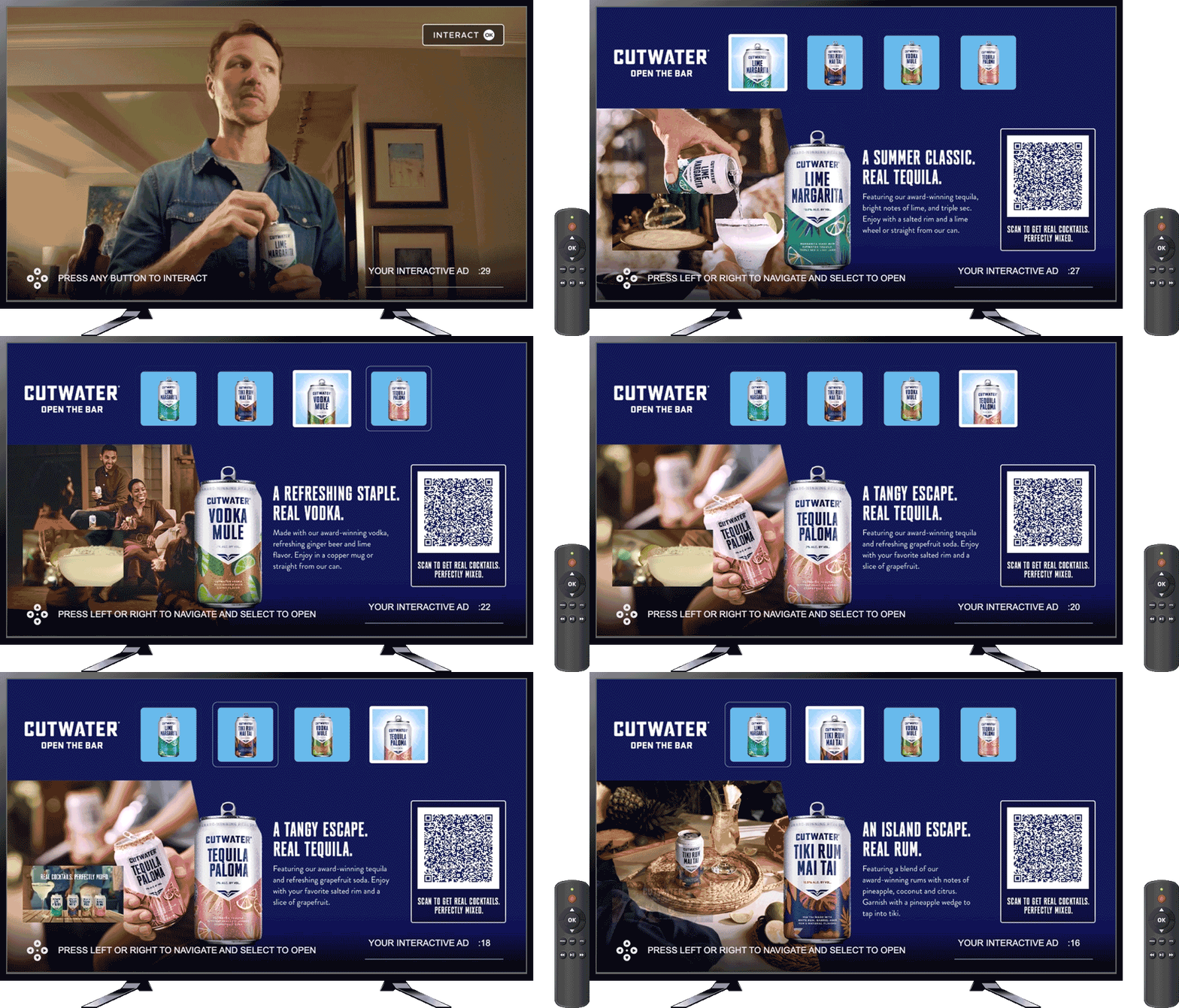
- Automatic start - Begins playing without opt-in; there is no choice card
- Interactive throughout - Users can interact with ad content during playback, but no interaction is required
- Capped at 30 seconds - Unlike the unlimited time a user can spend in a TrueX ad
- Plays inline - Completes and continues to the next ad in the pod; it does not skip or suppress the Publisher's ad pod
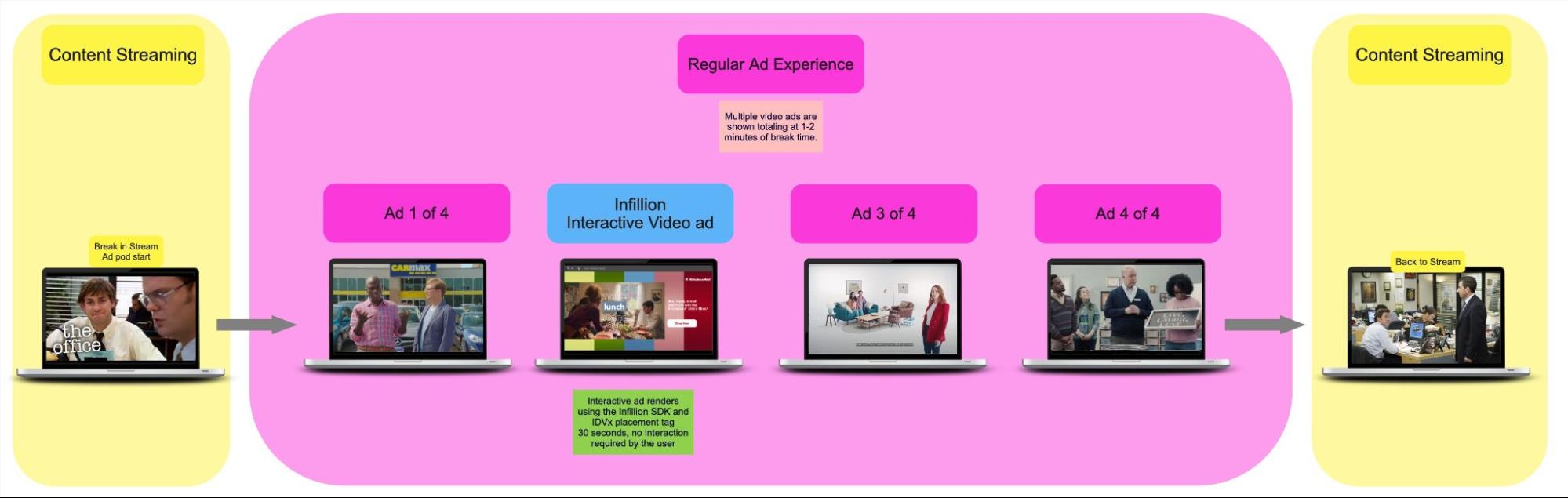
Fig. A example of an IDVx ad playing inline within a regular ad pod
User Flow
- A viewer is streaming video content and reaches a commercial break
- The content is paused to load the ad pod
- The IDVx ad is loaded like any other ad, and is one of many in the Publisher's ad pod
- When the user comes across the IDVx ad, they can interact with it if they choose
- IDVx ads are 30 seconds long, so when those 30 seconds are up the ad ends
- The video player then loads either another ad or the video content
Supported Platforms
IDVx ads are available on the following platforms:
- Vega (FireTV)
- Web/HTML - desktop browsers and HTML5-based CTV apps
- Roku
- Android - TV & mobile
- iOS
- tvOS - coming soon
Flighting the IDVx Placement Tag
The IDVx placement tag is a 1 stage tag and can be flighted in every ad slot of a pod (except any reserved for TrueX) according to the priority the Publisher wants to give Infillion in filling that slot. For example the Publisher may wish to put the IDVx tag behind direct sold campaign tags, but ahead of programmatic ad tags. Or the Publisher may wish to give the IDVx tag the first position in every last slot of every pod.
The Publisher's AdOps team schedules the IDVx placement tag in any priority they wish throughout their network in their ad server
If the Publisher already has the TrueX SDK installed, they need to make a few changes to the integration code (see below)
When the ad pod is triggered by the user, the IDVx ad tag will request an ad from the Infillion ad server (we support both CSAI and SSAI)
If a match is found for the user, the Infillion ad server will send an IDVx ad response that will trigger the IDVx user flow detailed above
If no IDVx ad is matched for the user by the Infillion ad server, an empty VAST response will be passed back, triggering whatever is scheduled next - either another video ad or the content
Changes existing TrueX Publishers need to make to support IDVx ads
- Previously, TrueX Publishers had to add logic to show the container when the ad slot is 0 and ad system type is "trueX". Publishers now must make the logic more permissive and allow the container to also show ads with system type "IDVx" in any slot.
- While you can continue to initialize "trueX" ads using a VAST config URL, "IDVx" ads must be initialized with VAST parameters JSON objects.
- Lastly, SSAI integrations have been using
lastAdEndTimeto track pod progress. We must continue to do that with IDVx, but even more vigorously than before.
For full details on the above-mentioned changes, here are the diffs from upgrading our reference apps to support IDVx: CSAI, SSAI
Creative Example
This animated gif illustrates the interactivity of an IDVx ad creative.
TIP
The Infillion Engagement Showcase shows working examples of TrueX and IDVx ads on all supported devices and platforms. If the ad experience does not load right away in the demo environment, refresh the page and it should load properly.