

Appearance
Product Flow
TrueX presents users with an interactive choice card where they choose between engaging with branded content or watching standard video ads. When users opt in and complete the interactive experience, they earn an ad credit that skips all remaining ads in the pod, creating a win-win: viewers get ad-free content, and advertisers get highly engaged audiences.
Key features:
- Opt-in via choice card - Users actively choose to engage
- Engagement requirements - Users must spend 30 seconds and interact at least once to earn credit
- Skips entire ad break - Successful engagement bypasses all remaining ads in the pod
Upon completion, the renderer signals a adFreePod event, indicating that remaining linear ads should be skipped.
There are two distinct product flows supported by TruexAdRenderer: Sponsored Stream (full-stream ad-replacement) and Sponsored Ad Break (mid-roll ad-replacement).
In a Sponsored Ad Break flow, once the user hits a mid-roll break with a TrueX tag flighted, they will be shown a "choice-card" offering them the choice between watching a normal set of video ads or a fully interactive TrueX ad:
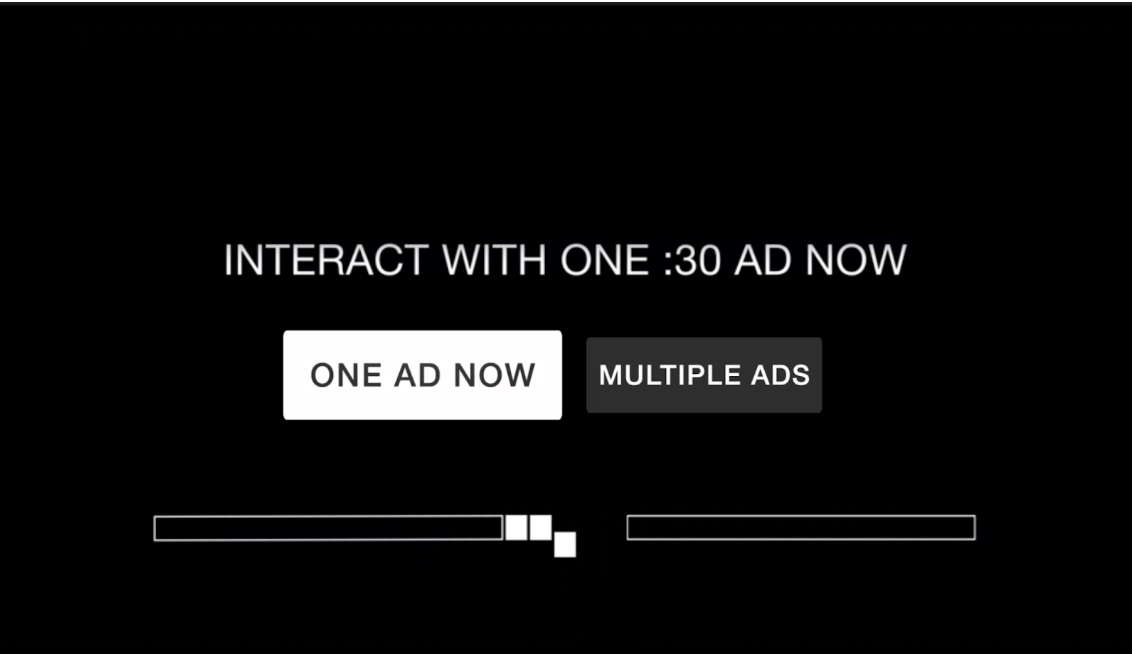
Fig. A example TrueX mid-roll choice card
If the user opts for a normal ad break, or if the user does not make a selection before the countdown timer expires, the TrueX UI will close and playback of normal video ads can continue as usual.
If the user opts to interact with TrueX, an interactive ad unit will be shown to the user:

Fig. B example TrueX interactive ad unit
The requirement for the user to "complete" this ad is for them to spend at least the allotted time on the unit and for at least one interaction (e.g. navigating anywhere through the ad).

Fig. C example TrueX attention timer
Once the user fulfills both requirements, a "Watch Your Show" button will appear in the bottom right, which the user can select to exit the TrueX ad. Having completed a TrueX ad, the user will be returned directly to content, skipping the remaining ads in the current ad pod.
The Sponsored Stream flow is quite similar. In this scenario, a user will be shown a choice-card in the pre-roll:
Fig. D example TrueX pre-roll choice card (full-stream replacement)
Similarly, if the user opts-in and completes the TrueX ad, they will be skipped over the remainder of the pre-roll ad break. However, every subsequent mid-roll break in the current stream will also be skipped over. In this case instead of the regular pod of video ads, the user will be shown a "hero card" (also known as a "skip card"):

Fig. E example TrueX mid-roll skip card
This messaging will be displayed to the user for several seconds, after which they will be returned directly to content.
High-level Integration Process
The Infillion Integration is composed of three high level steps - flighting our tag to your Ad server, enabling the rendering of Infillion interactive Ads in your video player, and crediting users for viewing a Infillion Ad (Ad skipping logic).
Tag flighting VAST tags are flighted at the top of every midroll Ad pod. This enables both the fetching of Infillion interactive Ads, and skipping of Ad pods in the event a viewer has already completed a Infillion Ad. Our tag does not represent a single campaign or advertiser, but instead is an always-on tag that changes based on demand for a particular user. Tag type differs based on the selected integration type. VPAID (for desktop) & VAST companion tags are the most common Flighting Instructions
Start TruexAdRenderer. As a part of our partnership with Innovid - Infillion choice card & interactive ad rendering support are provided through the Innovid SDK and don’t require any special development effort from the publisher.
Credit users with free Ad pods when they complete a Infillion Ad.
- When users complete a Infillion Ad, we need to deliver their reward (skipped Ad breaks). This is typically handled by the publisher.
- When a user completes a Infillion Ad, our SDK fires …. at which point the publisher is responsible for resuming playback of the main content stream. A more in depth guide on Ad skipping logic can be found in the technical documentation.
Flighting Instructions:
Once your team is ready to start testing Infillion Ads, our team will provide a test tag to flight to your Ad server. This test tag allows us to deliver test traffic to your Ad placement either in your staging environment, or a public placement with very low test demand allocation. This allows a limited number of users, including our QA team, to test your integration before it goes into production with real campaigns.
Exact flighting instructions vary based on the specific Ad server & version your company uses. Below are general guidelines for flighting Infillion tags on a wide variety of Ad servers.
Notes on tag flighting:
IMPORTANT
The Infillion TrueX tag should only be flighted to the first position in a given Ad pod. It will not function otherwise.
NOTE
In order to ensure that TrueX choice cards don’t reduce ad slots in the case the viewer decides not to interact with a Infillion Ad, increase the max number of Ads in pods which include a Infillion Ad by 1. For instance, if your normal commercial break pattern for a pod has a maximum of 3, 30 second Ads (90 seconds total), increase to a maximum of 4, 30 second Ads (120 seconds total). If a user spends 30 seconds in the Infillion choice card, a 120 second pod limit means they’ll still see the intended 3x 30 second Ads rather than being cut off.